白内障を予防するために有効なこととは?
白内障は一度発症してしまうと手術をしない限り治らない病気、そのためにも予防が大切になってきます。そんな白内障が発症しないように気を付けるべきこととは?出来る事は沢山あるものなのでそれらについてご紹介いたします。
白内障は予防できるものです。
白内障は水晶体がにごっていき、その結果段々と視界が悪くなったり視力が下がったり、次第に失明に繋がってしまう、そんな症状となっています。
白内障の厄介なところはやはり症状が薬で改善できないというところにあり、最終的に手術で回復させる方法をとります。
しかし手術もすぐに受けられない場合もあり、左右差のある白内障の場合両方進行するまで待たなければならない、あるいは、すぐに治療できず白内障を放置しておかなければならない期間があるのなど、不便に感じる事もおこってしまいます。
そう聞くと、やはり白内障は発症するまえに予防しておくのが一番という事になります。
そんな白内障の予防の方法はさまざま、それらについてご紹介いたします。
まず白内障とはどうして発症してしまうのか?これは主に加齢によるものとなっており、おおよそ40代で発症することがあるこの白内障、それは年齢があがるにつれてどんどん増していき、高齢者のほとんどが白内障の症状をかかえているものとされています。
もちろんレベルにもよりますので、軽度か重度の差も個人によってありますが酷い場合は失明に至る場合もあります。
しかしそれも年のせいだと諦めてしまう、そんな人も多いのも事実となっていますが、予防対策をしておくと白内障が発症しづらい体にできるのでおすすめです。
では白内障が発症しにくい体づくりとはどんなことをしたらいいのか?
それは体に優しい生活を意識することです。
白内障は老化、そしてその老化は身体の酸化からくるものとされています。
酸化にはさまざまな原因があり、それらは紫外線やブルーライト、不摂生からくるものが多く、そして酸化ストレスから白内障リスクが増加していく傾向があります。
また糖尿病からも白内障は併発しやすい傾向にあり、もし糖尿病の診断をされた場合白内障リスクにも気を付ける必要があります。
いまはなっていない、からといって油断は禁物、きちんと健康的な生活を心掛けていかなければいつ白内障が発症するかわからないものなのです。
予防もそんなに難しいものではなく、体にいい生活を心掛けるということです。
栄養バランスのいい食事、油ものを多く摂りすぎない、眼の怪我を避ける、眼球の保護でスマホやパソコンを触る時間が多い人はブルーライトカット眼鏡をかけたり、散歩の時は紫外線カットの眼鏡をかける、そうした積み重ねが白内障予防につながります。
また喫煙習慣をなくすのも有効で、年々値上がりしているタバコ、この機会にやめるのもおすすめです。
なかなかやめられない、そんな場合は禁煙外来を受診することで治療をうけられますので、受診をおすすめいたします。
保険適用で治療を受けられますので、受けておきたいところです。
体にいい生活も意識しすぎるとかえってストレスになりますが、なんでもかんでも我慢はする必要はなく、意識的に野菜を食べたり、ちょっと散歩してみたりというところからはじめていくのが大切です。
無理のある生活は続かないもの、継続して出来る範囲でできる健康習慣を身につけ、それを自然にこなしていけるようになるのが一番です。
抗酸化を意識!白内障予防の食生活
酸化ストレスによって発症リスクのあがる白内障、これは抗酸化作用のある食材を摂ることで予防をすることができます。
ではこの抗酸化作用がある食材とはどういうものがあるのか?これについてご紹介いたします。
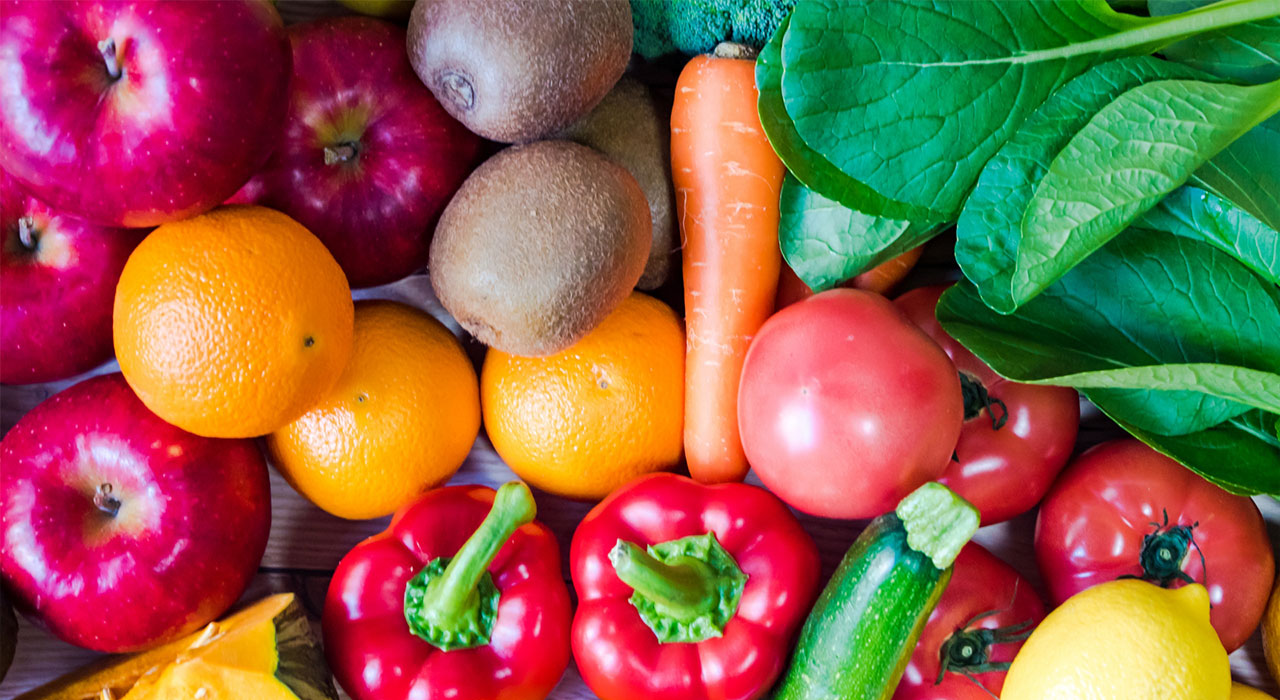
抗酸化作用というのは多くの食材にみられるものとなっており、おもに果物や野菜に含まれている栄養素がその抗酸化作用をもっていることが多いです。
特にビタミンは抗酸化作用を期待されており、ビタミンを多く含まれている野菜や果物を多く摂るのをこころがけることで抗酸化作用を期待できるものとなっています。
もし十分に食事で摂れない場合はサプリメントを使用しても有効とされています、ドラッグストアでもマルチビタミンのサプリメントは販売されていますので、それを購入して日常的に摂るのもおすすめとなっています。
ビタミンが含まれている食材は酸っぱいものも多いので、それが苦手な場合はサプリメントで補うのがおすすめです。
そしてポリフェノールも抗酸化作用が高く、ぶどうやブルーベリーがこの栄養素を多く含んでいる食材として報告されています。
そのまま葡萄を購入して毎日摂るのが難しい場合は、ジュースなどから摂取するのもおすすめです。
そして逆に身体を酸化させやすいといわれている食材もあるので気を付けておきたいところです。
たとえばAGE、これが多く含まれている食事は身体を酸化させやすいものとされており、白内障や糖尿病リスクを避けたい人は多く摂らないようにしておきたいところです。
これが含まれているのが炭酸飲料や揚げ物、バターです。
お酒が好きな人や子供なども好きな食材なので、これらを完全に断つのは難しいかもしれませんが、多く摂らない事が大切です。
たまになら大丈夫、毎日大量摂取となるとどうしても健康によくないので気を付けておきたいところです。
しかし、特に毎日摂るであろうバターに関しては配慮されており、AGEを含まないものもメーカーによって販売されていますのでおすすめです。
味わいも特に変わらず、満足度の高い出来上がりになっていますので、そうしてバター、あるいはマーガリンを購入して使うのをおすすめいたします。
思いもよらない食材というわけではなく、あまり摂りすぎると体に悪いことがわかる食材ばかりとなっています。
全て完全に我慢する必要はなく、適度に摂ることにする、というだけでも十分有効なので、過剰摂取だけ避けるようにしておきたいところです。
またこれら食生活は白内障だけではなく、健康面全体に大事なことばかり、しっかり意識して健康的な身体作りをしていくのが理想的です。
白内障予防の生活は健康を作る生活そのもの

白内障予防のために色々気を付けなければならない、という強過ぎるプレッシャーは必要なく、白内障を予防するために必要な生活はただ健康を意識した生活を心掛ける、それに限ります。
若い時から白内障予防を心掛ける生活というのはなかなか大変なもの、しかし生活習慣病という若い段階でもなりやすいものを予防する為にも、できるだけ健康を意識するのは誰しも必要なことなので、まず小さな健康習慣の積み重ねをしていくのをおすすめいたします。
生活習慣病予防は白内障予防につながります、そのためにも後述する健康のための生活を意識しておきたいところです。
まずバランスのとれた食生活、そして運動が大切です。
BMIが正常値におさまるように努力する、というのは非常に大切なこと、過度なダイエットなどが必要というわけではなく、健康的な体型維持をするというのが大切となっています。
そして禁煙、またお酒を飲みすぎないこと、これも生活習慣病予防に有効です。
次にストレスをためない、これが一番大切ですが難しいことです。
しかし今は家にいながらもできる趣味も多いので、それをやってみるなど発散方法を探していくのもおすすめです。
健康に気を付ける生活、それは白内障予防に役立つものとなっています。